

Elytra HUD Health
A Fabric client mod displaying a vanilla-styled elytra durability HUD with warnings and automatic unequip before breaking.
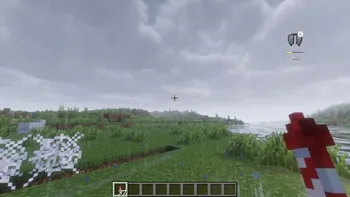
Visual Durability Tracking and Safety Features
Elytra HUD Health by Risefall displays your exact wing durability on the screen so you never have to check your inventory mid-flight. Designed to blend with the standard Minecraft interface, the overlay utilizes beveled borders for its icon, progress bar, and percentage readout. Players can relocate the display anywhere on their monitor and adjust the sizes of the bar and icon independently.
An automatic removal system protects your elytra from breaking completely by moving them to your hotbar at a user-defined durability threshold. The mod issues a chat warning when durability is 10% above this removal point, and sends a red alert if you are currently flying when removal is close. If your hotbar has no open slots to accept the unequipped wings, an error notice is printed in the chat.
Audio Cues, Chat Alerts, and Configuration
Real-time audio and text notifications keep you informed as your elytra wear down during flight. When sound alerts are active, soft bell chimes play once durability drops below 50% and 25%, while a break sound and red chat notice trigger at 0%. Reaching 10% durability produces a yellow-highlighted chat warning, and every text message starts with the [EHH] tag.
All visual elements, alert toggles, and positioning sliders can be adjusted through the in-game configuration menu or the config/elytra_health.json file. You can access the settings screen via Mod Menu or by pressing the assigned hotkey, which defaults to your existing ElytraBar key. Moving the sliders temporarily dims the background world for better visibility without pausing the game, and a language button lets you cycle between English, Russian, Ukrainian, and Japanese.
- Open the configuration menu in-game using Mod Menu or your assigned ElytraBar hotkey.
- Adjust the scale, offsetX, and offsetY sliders to position and resize the overlay for your screen resolution.
- Toggle showIcon, showProgressBar, and showPercentage to choose which visual elements appear on the HUD.
- Enable autoRemove and set your preferred autoRemoveThreshold to automatically unequip low-durability wings.
- Click Done to immediately apply your changes and save them to the config/elytra_health.json file.
Client Requirements and Compatibility
This client-side mod runs on Fabric Loader 0.16 or newer for Minecraft Java Edition 1.21.x versions, including 1.21.4 through 1.21.9. The latest Fabric API for 1.21.x is required to handle keybindings and HUD rendering events. Adding Mod Menu is optional, though recommended for convenient access to the configuration screen.
Questions
What happens if my hotbar is full when the auto-remove feature activates?
The mod displays a localized error message in the chat stating that no empty hotbar slot was found.
How do I open the Elytra HUD Health settings screen in-game?
Press the configured hotkey (bound by default to your existing ElytraBar key) or open the screen through Mod Menu.
At what durability levels do sound and chat alerts happen?
Bell sounds play below 50% and 25%, a yellow chat warning appears at 10%, a break sound and red alert trigger at 0%, and an additional warning occurs 10% prior to the auto-remove threshold.
Which languages are supported by the mod?
The interface and chat messages include built-in localization for English, Russian, Ukrainian, and Japanese.
Related
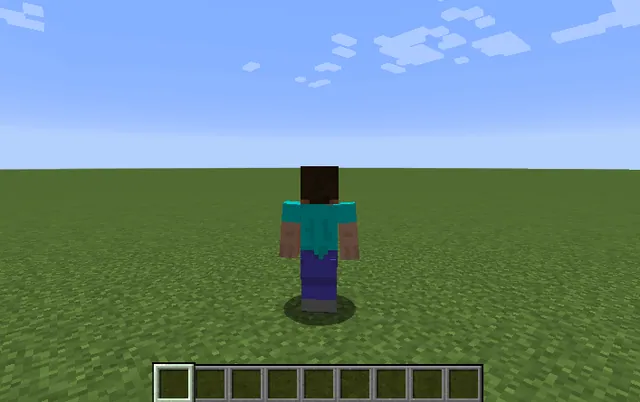
A client-side camera mod that adds smooth perspective transitions and camera roll during elytra flight.
Adds a craftable early-game wooden elytra that loses durability faster at higher altitudes and burns if flown too high.

Overhauls elytra flight by allowing wing flapping, flaring, easy takeoff, and flight stamina using hunger.
Client-side utility mod adding keybinds to toggle elytra flight, trigger flight, and perform one-button firework takeoffs.

A bugfix mod that resolves constant elytra breaking sounds when using BetterEnd elytras with Accessories or Trinkets.

Adds a customizable elytra flight HUD showing optimal pitch angle, speed, altitude, and durability, with optional pitch-locking keybinds.
Allows reinforcing an elytra with Netherite to grant increased durability and lava resistance.

Client-side mod adding an avionics flight HUD, safety alerts, collision protections, and autopilot for elytra flying.