
Elytra Tracker
A HUD mod that displays equipped elytra durability, percentage, or remaining flight time next to the hotbar.
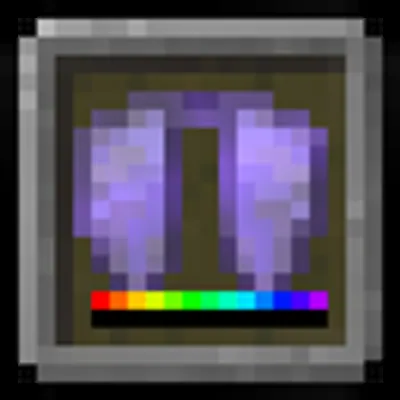
HUD Overview and Placement
Elytra Tracker by ColinH is a Java Edition mod that displays an equipped elytra's durability in a vanilla-style hotbar slot. The indicator only shows up on the screen when you are actively wearing an elytra.
The position of the slot is tied directly to your game settings, meaning the HUD appears on the side of the hotbar matching your Main Hand option. If you switch your main hand in Minecraft, the tracker moves to the opposite side, and there are no other placement settings available.
Durability Display Modes
Players can customize how the mod presents wear and tear through several different durability display options. You can choose to see the exact remaining durability value, or select a numeric percentage that shifts colors just like the default damage bar. A standard vanilla bar is also available, featuring sub-options for either standard colors or a full color spectrum.
For flight planning, the mod offers a mode that shows remaining flight time in minutes and seconds, adjusting automatically for unenchanted gear or different Unbreaking levels. Because the Unbreaking enchantment only lowers the chance of losing durability each second rather than preventing it uniformly, the timer on enchanted wings will not count down as smoothly as it does on an unenchanted elytra.
Configuration and Commands
You can adjust every setting in the mod through either the Mod Menu configuration screen or in-game console commands. Using these menus, players can turn the HUD off entirely or decide whether the indicator hides when the elytra is at full health, matching vanilla behavior.
- Equip an elytra to activate the hotbar indicator.
- Type /etm help in the console to view the full list of configuration commands.
- Alternatively, open Mod Menu to toggle the HUD or change the display style.
Questions
How do I move the Elytra Tracker slot to the other side of the hotbar?
Change your Minecraft Main Hand setting; the HUD automatically follows your main hand side and has no other placement options.
Why does the remaining flight timer not count down smoothly?
If your elytra has the Unbreaking enchantment, it only reduces the probability that a second of flight consumes a durability point, causing the timer to tick down unevenly.
How can I see the commands for this mod?
Type /etm help in the console to bring up the list of available commands.
Related

A client-side camera mod that adds smooth perspective transitions and camera roll during elytra flight.
Adds a craftable early-game wooden elytra that loses durability faster at higher altitudes and burns if flown too high.

Overhauls elytra flight by allowing wing flapping, flaring, easy takeoff, and flight stamina using hunger.
Client-side utility mod adding keybinds to toggle elytra flight, trigger flight, and perform one-button firework takeoffs.

A bugfix mod that resolves constant elytra breaking sounds when using BetterEnd elytras with Accessories or Trinkets.

Adds a customizable elytra flight HUD showing optimal pitch angle, speed, altitude, and durability, with optional pitch-locking keybinds.
Allows reinforcing an elytra with Netherite to grant increased durability and lava resistance.
A Bedrock addon that lets players craft an elytra together with a chestplate, preserving armor points, enchantments, and durability.