
Mace Helper
A client-side PvP mod assisting with aerial elytra, firework, and mace combat combos and automatic elytra deployment.
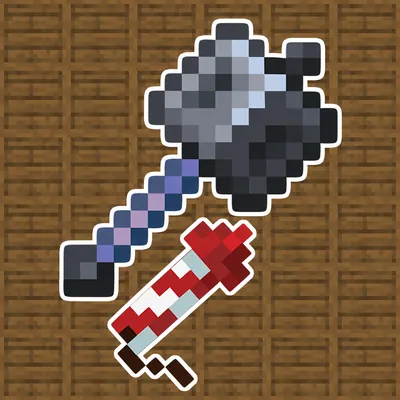
Overview & Elytra Combat Styles
Mace Helper is a client-side mod for aerial mace combat and automated equipment switching. It provides two mutually exclusive primary combat styles while allowing additional helper modules to be toggled separately. The Rocket Mace style focuses on flight, managing swaps between your Elytra, chestplate, fireworks, and mace to execute mid-air combos. Alternatively, the Spear Mace style handles weapon progression from a sword to a spear and then a mace while falling onto an opponent.
Several movement modules directly support Elytra flight and aerial positioning during combat. The Auto Open Elytra feature deploys your wings automatically whenever you trigger a firework while airborne, and the Elytra Potion option assists in catching splash potion effects mid-flight. For rapid descent, Dive Dash propels you downward in the direction you are looking with configurable cooldown and speed settings. You can also chain movement items using Pearl Catch to hit your own Ender Pearl with a Wind Charge in the air, or Pearl Boost to deploy a Wind Charge right after an Ender Pearl lands.
Combat Tools & Utility Features
The mod includes automated targeting and weapon swapping tools to maintain momentum during aerial attacks. Stun Slam (Shield Break) switches to an axe to disable an opponent's shield prior to a mace hit, while Attribute Swap alternates weapons across user-defined hotbar slot pairs. Targeting is assisted by Auto Attack, an adjustable frontal Attack Sector angle, and client-side Hitbox Expansion. Furthermore, the toolkit offers a Mace One-Shot module that increases smash damage via simulated fall height, alongside Wind Deflect to knock away incoming Wind Charges at melee distance.
Beyond direct fighting, Mace Helper offers inventory management, status displays, and survival utilities. A movable HUD indicates your active combat mode and tracks how much firework boost duration remains, accompanied by floating Damage Numbers near the crosshair. The Hotbar Manager organizes your equipment slots to match your active combat style. For general upkeep, Auto Eat consumes food when hunger drops and returns to your prior slot, while Anti Hunger lowers food depletion during sprinting.
Controls, Configuration & Server Notes
All modules and visual themes are managed through an in-game interface that supports English and Russian languages. Running the mod requires Fabric API, and Mod Menu is supported as an optional dependency. Because many included combat and movement features automate player actions or alter targeting and fall behavior, server anti-cheat plugins may interfere with how they function, and using the mod on multiplayer servers can lead to a ban if it breaks server rules.
- Press Right Shift (the default keybind, which can be reassigned in the standard Minecraft Controls menu) to open the Glass Menu.
- Choose either Rocket Mace or Spear Mace as your active combat style and configure the Hotbar Manager for your gear.
- Left-click any module to toggle it on or off, or right-click the module to adjust its individual parameters.
- Drag the HUD element to your preferred screen position to monitor your active mode and remaining firework flight time.
Questions
How do I open the Mace Helper configuration menu?
Press Right Shift by default, or reassign the key in the Minecraft Controls menu.
What does the Rocket Mace mode do for Elytra users?
It handles switching between your Elytra, chestplate, fireworks, and mace to perform mid-air attack combos.
Can I use Rocket Mace and Spear Mace at the same time?
No, you can only enable a single combat style at once, though the extra utility tools can be turned on or off separately.
What other mods are needed to run Mace Helper?
You need Fabric API installed, while Mod Menu can be added optionally.
Related

Overhauls elytra flight controls and camera movement with full pitch, yaw, and roll mechanics.

Allows players to take off with an elytra from the ground using a firework rocket without jumping.

Lets players brake and slow down during elytra flight by pressing the sneak key, reducing landing damage.

A Create addon that adds rotation-powered flight anchors, an elytra-crafted Angel Ring, and upgraded elytra takeoff and boosting mechanics.

Overhauls elytra flight by allowing wing flapping, flaring, easy takeoff, and flight stamina using hunger.

Adds new enchantments including nine specifically for elytra gliding, takeoff, flapping, speed, and armor defense.
Rebalances and overhauls elytra flight with campfire updrafts, camera tilt, new enchantments, and altered firework boosts.
Client-side utility mod adding keybinds to toggle elytra flight, trigger flight, and perform one-button firework takeoffs.