
MX Tool Swapper
A client-side mod that automatically equips the best tool, weapon, or swaps in an elytra when jumping in mid-air and restores the chestplate on landing.

Automated Elytra and Gear Management
MX Tool Swapper by maxxlive is a client-side Java Edition mod that automatically equips your elytra when taking off, alongside managing your mining tools and combat weapons. When you press the jump key while in mid-air, the mod automatically moves an elytra from your inventory into your chest armor slot so you can begin gliding immediately. The system always chooses the elytra that has the highest remaining durability. Once you touch back down on the ground, your chestplate is automatically re-equipped in place of the wings.
Beyond flight mechanics, the mod automatically selects the most effective tool for mining and the strongest weapon for fighting mobs. Attacking a creature puts your highest-damage sword into your hand, or your best axe if no sword is available. Starting to break a block triggers an inventory search for the fastest tool capable of harvesting that block's drops, factoring in Efficiency enchantments and specific block requirements like obsidian. If the optimal tool is already on your hotbar, that slot is selected; otherwise, the item is moved into your active hand, though nothing changes if you are already holding an appropriate tool for the block type.
Controls and Configuration Options
Players can customize every automatic swapping behavior in-game via Mod Menu or by editing the config/mxtoolswapper.json file directly. Flight behavior is controlled by the Auto-Equip Elytra and Swap Armor Back After Landing settings. You can also configure Minimum Remaining Durability to prevent the mod from equipping gear that is close to breaking, and set up an allowlist or blocklist under the Filter option using item IDs like minecraft:diamond_pickaxe or item tags like #minecraft:axes. Other configurable settings govern whether to search or select hotbar slots, enable weapon switching under Swap Weapon, allow switching when holding non-tools or nothing at all via Swap From Any Item, and adjust Tool Swap Mode between Any, No Swap, or Only Tools (which prevents switching off your currently equipped sword).
A master keybind allows you to toggle the entire MX Tool Swapper mod on or off at any time during gameplay. This control is named Toggle MX Tool Swapper and is left unbound by default. You can assign a key to it by navigating to Options, Controls, and then Key Binds in the game settings.
- Ensure your elytra and chestplate are stored in your inventory.
- Press the jump key while in mid-air to automatically equip the highest-durability elytra and start gliding.
- Land on the ground to have the mod automatically put your chestplate back into the armor slot.
- Open Mods, select MX Tool Swapper, and click Configure (requires Mod Menu) to adjust elytra, durability, and tool settings.
Server Compatibility and Requirements
Because all inventory transfers are executed using standard inventory clicks, the mod works on vanilla multiplayer servers without needing server-side installation. However, some multiplayer communities classify automated gear switching as a utility mod, so players should review their server's rules before enabling it. To run MX Tool Swapper on Minecraft 26.3, you must have Fabric Loader 0.19.0 or newer installed alongside Fabric API and Cloth Config API, while Mod Menu remains optional for accessing the in-game configuration screen.
Questions
How do I trigger the elytra swap in game?
Press the jump key while in mid-air to equip your elytra from your inventory and start gliding immediately.
Which elytra gets equipped if I have multiple in my inventory?
The mod always selects the elytra that has the most durability left.
Does MX Tool Swapper need to be installed on the server?
No, it is a client-side mod that works on vanilla servers using regular inventory clicks, though you should check server rules regarding utility mods.
How can I temporarily disable the automatic swapping?
Assign a key to the Toggle MX Tool Swapper option under Options > Controls > Key Binds to turn the whole mod on and off.
Related
Adds a dedicated Curios or Trinkets slot for the elytra so players can fly while wearing chest armor.

Adds craftable colorful wings worn in the Curios or Trinkets back slot that consume hunger while flying.

Overhauls elytra flight controls and camera movement with full pitch, yaw, and roll mechanics.

Allows players to take off with an elytra from the ground using a firework rocket without jumping.

A Create addon that adds a craftable mechanical wing glider with a wing-flap boost mechanic.

Lets players brake and slow down during elytra flight by pressing the sneak key, reducing landing damage.
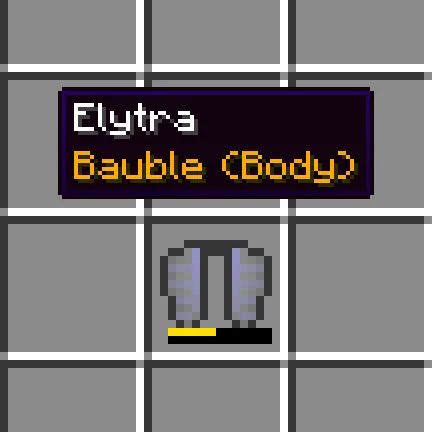
Allows players to equip their elytra in the Baubles body slot and fixes several Baubles bugs.

A Create addon that adds rotation-powered flight anchors, an elytra-crafted Angel Ring, and upgraded elytra takeoff and boosting mechanics.