
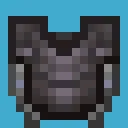
Novaterra Chestplate Elytra + Armor Trim
A datapack and resource pack that lets players combine chestplates and elytras in a smithing table with full visual armor trim support.
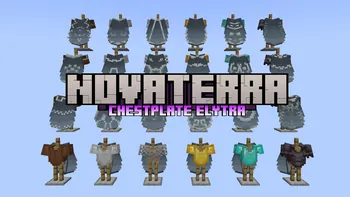
Overview and Features
Novaterra Chestplate Elytra + Armor Trim lets players merge a chestplate with an elytra while rendering both items on the character model. Developed by Novaterra, this project operates as a joint data pack and resource pack inspired by a 1.9 teaser image. It belongs to a broader content overhaul called Novaterra.
All armor trims are fully supported and remain visible on the merged Chestplate Elytra. Whenever a decorative trim is applied, the design shows up clearly alongside the protective armor and the wings.
How to Craft and Use
To craft a Chestplate Elytra, insert your preferred chestplate and an elytra into a smithing table. If you want to customize the gear with armor trims, the sequence of your smithing actions does not affect the outcome. You can either merge the chestplate and elytra first and apply the trim afterward, or unite a pre-trimmed chestplate with an elytra to get the identical item.
- Access a smithing table.
- Place your selected chestplate and an elytra into the slots to fuse them.
- Add an armor trim either prior to or following the fusion of the chestplate and elytra.
Requirements and Compatibility
Using the companion resource pack is mandatory for the combined armor and wings to display properly. In terms of version support, this pack exclusively runs on Minecraft 1.21+ snapshots starting at 24w36a and later.
Questions
How do I fuse a chestplate and an elytra together?
Insert your selected chestplate and an elytra into a smithing table.
Does the order matter when applying an armor trim to the Chestplate Elytra?
No, any crafting sequence at the smithing table yields the identical outcome, whether the chestplate is trimmed prior to or after adding the elytra.
Is a resource pack necessary for this data pack?
Yes, the resource pack is required so that the armor, wings, and trims render properly.
Which game versions are compatible?
It only functions on Minecraft 1.21+ snapshots from 24w36a onward.
Related
Allows players to customize elytras with dyes, banner patterns, armor trims, and glow ink sacs.
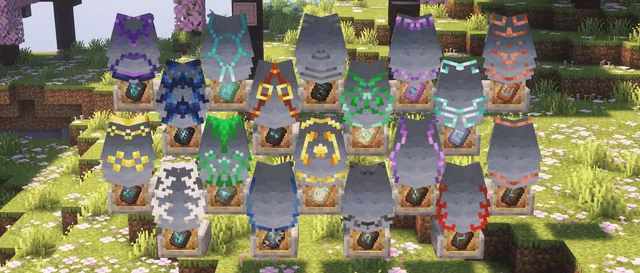
Allows players to apply armor trims, dyes, banner patterns, and glow ink to elytras.
A KubeJS addon that lets modpack developers assign custom cape and elytra textures to players via scripts.
A client cosmetics mod providing custom high-resolution capes, elytras, hats, and shoulder buddies.

Adds flowing cape-like movement physics to the elytra when worn on a player's back.

Allows firework rockets with colors, effects, and shapes to boost elytra flight and create visual displays.

Adds configurable wingtip contrails and visual trails while flying with an elytra.
Adds new enchantments including nine specifically for elytra gliding, takeoff, flapping, speed, and armor defense.