
SkyVision
A client-side PvP HUD mod featuring an elytra pitch bar, elytra flight durability timer, fall distance indicator, and mace damage calculator.

Overview and Elytra Flight Mechanics
SkyVision (also referred to as SkySight) is a client-side HUD mod created by Anandoor for Minecraft Java Edition that provides visual feedback for PvP and flight mechanics. For flying, it includes an Elytra Flight Timer that monitors how long your wings are equipped and shows a fading display above the hotbar once you take them off. Previous timer results move upward and gradually disappear, helping players practice an elytra preservation technique where durability is saved by keeping the timer below 20 ticks.
The mod also adds an Elytra Pitch bar and a Fall Distance HUD to assist with aerial positioning and falling mechanics. While gliding, the pitch indicator shows your current angle and reaches 0 when your pitch hits 40, which is the threshold required to accumulate fall distance. Meanwhile, the fall distance display tracks how far you have dropped and turns red if the remaining distance to the ground will result in fatal fall damage.
Combat Indicators and Visual Highlights
Several HUD elements calculate potential combat damage and notify you about specific movement or weapon actions. An indicator below the crosshair shows Player Damage, estimating the harm you will inflict on a fully geared opponent based on your current Y-level difference and fall distance, turning red if the strike is lethal. This calculation assumes a perfect swap without sprinting or critical hits, and a corresponding Enemy Damage display shows what your opponent can deal to you. You also get alerts for successful attribute swaps, a red screen border when taking damage (helpful if damage tilt is disabled), and a pearl catch prediction when firing a wind charge behind a thrown ender pearl, though this prediction may be less accurate on multiplayer servers.
Visual rendering tools highlight specific hitboxes and blocks to assist with placement and positioning during fights. A Foot Hitbox indicator shows valid standing surfaces, while Block Highlights mark the blocks directly underneath your feet on the ground so you know where blocks cannot be placed for hitcrystal tactics. Additionally, a Shield Area Renderer draws an outline around the blocking zones of the two closest opposing players to help you land backstabs.
Commands, Configuration, and Compatibility Notes
Players can enable or disable the different visual overlays in-game by running specific toggle commands. Depending on which release of the mod you are running, the command syntax differs, and certain rendering features are restricted to specific game versions. Additionally, because the mod provides combat and movement feedback, some multiplayer servers might classify these visual aids as cheats.
- In newer versions of the mod, type /SkyVision toggle... to turn the HUD features on or off.
- In older versions, use the commands /ToggleFutureHud, /TogglePresentHud, and /ToggleShieldArea to manage the displays.
- Note that the Block Highlights and Shield Area Renderer features function in Minecraft 1.21.1 only.
Questions
How does the Elytra Flight Timer help save durability?
It shows how long you wore the elytra after removing it, allowing you to practice keeping the equipped time under 20 ticks to preserve durability.
What does the 0 mark on the Elytra Pitch bar mean?
The bar reaches 0 when your flight pitch is at 40, which is the angle needed to start building up fall distance while flying.
How do I turn the SkyVision HUD elements on or off?
Use the /SkyVision toggle... command in newer releases, or /ToggleFutureHud, /TogglePresentHud, and /ToggleShieldArea in older versions.
Do all visual highlights work on every supported version?
No, the Block Highlights and Shield Area Renderer features are only available in version 1.21.1.
Related

A client-side camera mod that adds smooth perspective transitions and camera roll during elytra flight.
Adds a craftable early-game wooden elytra that loses durability faster at higher altitudes and burns if flown too high.

Overhauls elytra flight by allowing wing flapping, flaring, easy takeoff, and flight stamina using hunger.
Client-side utility mod adding keybinds to toggle elytra flight, trigger flight, and perform one-button firework takeoffs.
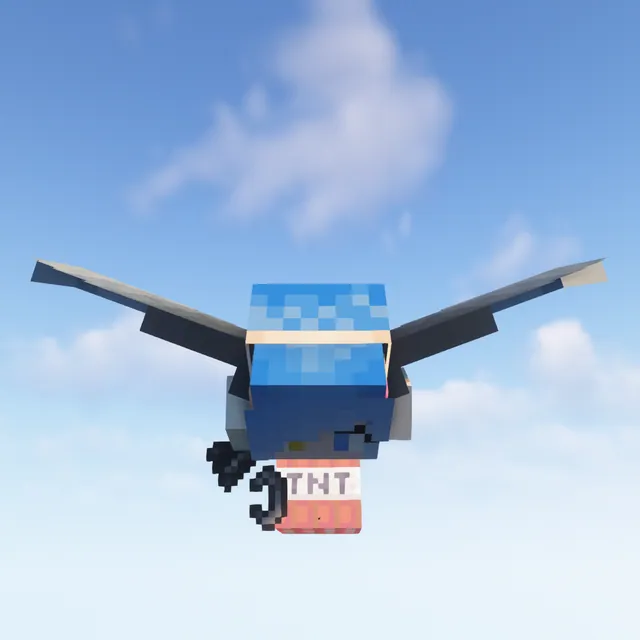
Allows players gliding with an elytra to drop primed TNT below them using an igniter.

A bugfix mod that resolves constant elytra breaking sounds when using BetterEnd elytras with Accessories or Trinkets.

Adds a customizable elytra flight HUD showing optimal pitch angle, speed, altitude, and durability, with optional pitch-locking keybinds.
Allows reinforcing an elytra with Netherite to grant increased durability and lava resistance.