
DragonDropElytra2
Server plugin that drops or awards an elytra when a player kills the Ender Dragon.
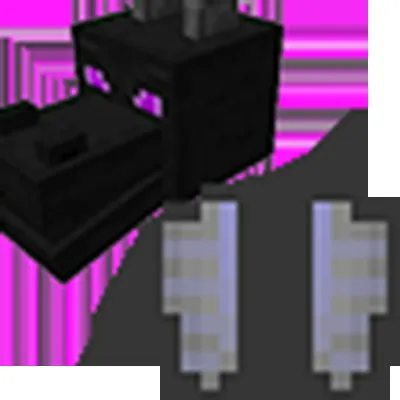
How DragonDropElytra2 Delivers Elytra and Rewards
DragonDropElytra2 rewards players with an Elytra upon defeating the Ender Dragon. By default, the plugin places the item directly into the inventory of the player who lands the killing blow. If that player's inventory has no free space, the Elytra will fall onto the ground at their current position instead.
Server administrators can customize how the reward is delivered and what additional items drop. Instead of going directly to the player, the plugin can drop the item naturally, place it on the ground at a specific coordinate (set to 0, 62, 4 by default), or generate a chest containing the reward at that location. Alongside a regular Elytra, the configuration allows for dropping a broken Elytra, a Dragon Head, or a Dragon Egg, each with optional percentage-based drop chances between 0.0 and 100.0.
Configuration Options and World Rules
All active settings must be edited inside the config.yml file rather than the reference documentation file. The JAR includes a config_comments.yml file purely to explain the settings, and any edits made to that reference file will not be read by the plugin. Within the actual configuration, administrators can set up case-sensitive world whitelists and blacklists to control where the drops occur.
Additional mechanics allow servers to block the default Dragon Egg from spawning or trigger custom console commands. You can configure a specific console command (without a leading slash) to execute automatically whenever the Ender Dragon dies. Furthermore, the plugin supports multiple languages, including English, German, Spanish, French, Japanese, Korean, Russian, Lolcat, and Simplified or Traditional Chinese.
Commands and Permissions
Managing the plugin in-game requires specific operator permissions and commands. Players with the dde.op permission (granted to operators by default) can reload the configuration and switch debug mode on or off. A separate permission node, dde.showUpdateAvailable, notifies operators when a newer version of the plugin is available.
- Use /dde to display the help menu in-game.
- Run /dde reload to apply changes made to your config.yml file.
- Execute /dde toggledebug to turn debug trace logging on or off before reporting an issue.
Questions
What happens if my inventory is full when I kill the Ender Dragon?
When give_to_player is enabled and you have no inventory space, the Elytra falls on the ground at your current position.
Why are my configuration changes not working?
Make sure you are editing config.yml and not config_comments.yml, as the comments file inside the JAR is strictly for documentation and is never read at runtime.
Can I make the Elytra drop only part of the time?
Yes, you can enable chancepercentdrop in the configuration and set a chancepercent value between 0.0 and 100.0.
Can the Ender Dragon drop items other than a normal Elytra?
Yes, the plugin can be configured to drop a broken Elytra, a Dragon Head, and a Dragon Egg.
Related

Adds tiered craftable gliders from wood to netherite as an early-to-mid-game alternative to the elytra.

Causes the Ender Dragon to drop an elytra upon death at the location of the player who dealt the final blow.

Adds tiered craftable gliders made from wood, iron, gold, diamond, and netherite as early-game alternatives to the elytra.
Adds a craftable early-game wooden elytra that loses durability faster at higher altitudes and burns if flown too high.

Adds a crafting recipe to obtain the Elytra in survival mode.

Adds ten craftable avian and insectoid wing types that provide non-creative winged flight mechanics.

Adds 32 craftable wool and glazed terracotta elytra variants with higher durability, armor protection, and feather repair.
Allows reinforcing an elytra with Netherite to grant increased durability and lava resistance.