
Elytra
A server plugin that adds automatic elytra activation and pitch-based speed boosting while flying.
Flight Enhancements and Mechanics
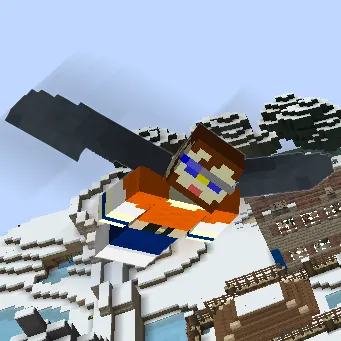
The Elytra plugin enables players to gain altitude and speed while gliding. It introduces an automatic gliding mechanic that functions like earlier game snapshots, deploying your wings on their own as soon as 3 empty air blocks are detected beneath your feet. This removes the need to manually activate flight while falling.
To stay airborne longer, players can trigger a velocity boost accompanied by visual and audio effects. When this acceleration activates, the game plays the ENTITY_BAT_TAKEOFF sound and displays SPELL_WITCH particles around the flyer. To balance this ability, the plugin simulates g-force by dealing 1.0 point of damage to the player (where 2 equals 1 heart) and reducing the durability of the equipped wings by 10 points.
In-Game Usage and Controls
Using the flight mechanics requires specific camera pitch angles and velocity thresholds during flight. Once your gliding momentum drops into the required range between 0.5 and 1.5, looking upward at a pitch angle between 40 and 80 applies a 1.3 speed multiplier. Depending on the permissions granted on the server, players can also trigger acceleration by pressing the shift (sneak) key, maintain a constant flight velocity, or launch into the air after sprinting across a defined amount of blocks.
- Equip your wings and jump from a ledge so that having 3 air blocks below you triggers automatic gliding.
- Wait until your flying velocity slows down into the range of 0.5 to 1.5.
- Tilt your view upward at an angle between 40 and 80, or press the shift key if enabled, to gain a speed boost.
Permissions and Configuration
Server administrators can control access to specific flight abilities because every mechanic is tied to an individual permission node. The plugin does not have any commands planned. Instead, operators assign nodes such as elytra.speedup for the look-up acceleration, elytra.auto for automatic wing deployment, elytra.const-flight for steady velocity, elytra.shift-activation for sneak boosting, and elytra.runup for sprinting takeoffs.
Through the configuration file, all parameters and penalties can be customized or turned off entirely. You can adjust the required empty blocks under the player for auto-glide, change the minimum and maximum activation angles and speeds, or alter the multiplier value. If you prefer penalty-free flying, both damage-elytra and damage-player under the g-force section can be set to 0, while the particle and sound effects can be disabled or adjusted for radius, amount, pitch, volume, and repeat counts.
Questions
Why am I not getting a speed boost when I look up?
Your current gliding speed must be between 0.5 and 1.5, and your camera pitch angle must be between 40 and 80; if your velocity drops too low, the boost will not trigger.
How can I stop the speed boost from hurting the player or damaging the wings?
Open the configuration file and set both damage-elytra and damage-player under the g-force section to 0.
Are there any commands to toggle the elytra features in-game?
No, commands are not planned; features are controlled exclusively through permission nodes and the configuration file.
How does the auto-glide feature know when to open the wings?
It automatically deploys the wings when 3 air blocks are detected directly beneath the player.
Related
A library mod and API that exposes vanilla elytra flight mechanics as an entity attribute for developers.

Overhauls elytra flight controls and camera movement with full pitch, yaw, and roll mechanics.

Adds craftable hang gliders with wind mechanics and upgradeable speed for gliding through the skies.

Adds a craftable hang glider with wind physics as an early-game scenic flight alternative to the elytra.

Allows players to take off with an elytra from the ground using a firework rocket without jumping.

A client-side camera mod that adds smooth perspective transitions and camera roll during elytra flight.

Allows firework rockets with colors, effects, and shapes to boost elytra flight and create visual displays.

Adds cape-like movement physics to the elytra while worn on a player's back.