
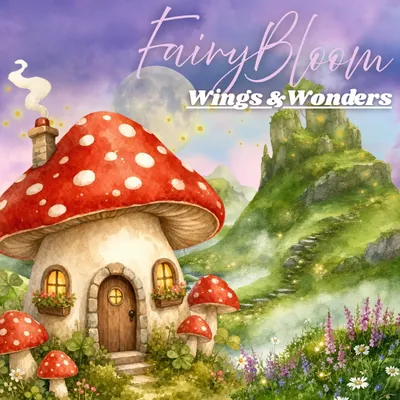
FairyBloom: Wings & Wonders
A magic RPG mod introducing 12 fairy talents, enchanted fairy wings for flight, wands, and unlockable abilities.
Wings and Flight Mechanics
FairyBloom: Wings & Wonders introduces customizable fairy wings and a dust-based flight system to Minecraft. Players can personalize their wing visuals using the Wing Studio, choosing between Butterfly Wings, Petal Wings, and Dragonfly Wings with different animations and colors. The appearance of your wings is completely independent of your magical talent, and adult villagers in the world will also wear colorful wings while keeping their standard behaviors.
Taking to the skies requires crafting Fairy Dust, which is consumed while you fly and comes in four distinct tiers. Fairy Dust I grants 5 minutes of flight, Fairy Dust II provides 10 minutes, Fairy Dust III offers 15 minutes, and Everlasting Fairy Dust permanently unlocks flight for a single pair of wings. When your temporary flight duration runs out in midair, the mod applies a brief Slow Falling effect so you can land safely.
Environmental hazards like water and rain will wash temporary Fairy Dust off your wings. To prevent rain from removing your flight ability, you can craft and use a Big Leaf Umbrella for protection. Additionally, you can improve your aerial capabilities by investing points into the Wing Mastery progression branch, which grants movement-related bonuses while flying.
Fairy Talents, Wands, and Progression
Your magical journey starts with the Book of Bloomlight, which lets you select one of 12 fairy talents. Available options include Water, Wind, Garden, Ember, Frost, Earth, Light, Storm, Animal, Tinker, Pirate, and Pink Fairy types. Each talent comes with three specific abilities, resulting in 36 total spells across the mod. If you wish to switch your talent later, you can craft and drink the Draught of Reawakening to reset your choice.
Casting your chosen spells requires one of 12 collectible fairy wands, which can be upgraded through three tiers. The basic Apprentice Wand allows standard spellcasting, the Enchanted Wand adds a movement benefit when casting, and the Royal Fairy Wand provides an extra protective bonus. Every successful spell cast grants Fairy Experience, earning you points to spend in the Fairy Mastery Path across Magic Mastery for shorter cooldowns, Wing Mastery for flight movement, and Fairy Spirit for regeneration.
Controls and Setup
All wing customization, progression tracking, and spell management are handled through the in-game Fairy Magic Menu. You can use the default keybinds below or remap them in the standard Minecraft Controls menu. The mod runs on Minecraft Java Edition 1.20.1 using Java 17 and Minecraft Forge 47.4.28 or higher, and multiplayer servers require the same mod version installed on both client and server.
- Press B to toggle fairy flight on and off.
- Press M to open the Fairy Magic Menu to access the Wing Studio and Fairy Mastery Path.
- Press V to cycle through your three available fairy spells.
- Press G to cast your currently selected spell with an equipped wand.
Questions
q
a
q
a
q
a
q
a
Related
A library mod and API that exposes vanilla elytra flight mechanics as an entity attribute for developers.
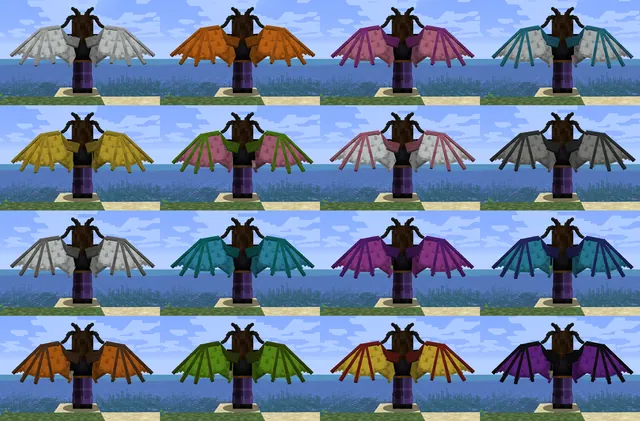
Adds craftable colorful wings worn in the Curios or Trinkets back slot that consume hunger while flying.

Overhauls elytra flight controls and camera movement with full pitch, yaw, and roll mechanics.

Adds tiered craftable gliders from wood to netherite as an early-to-mid-game alternative to the elytra.

Adds craftable hang gliders with wind mechanics and upgradeable speed for gliding through the skies.

Adds a craftable hang glider with wind physics as an early-game scenic flight alternative to the elytra.
A client-side camera mod that adds smooth perspective transitions and camera roll during elytra flight.

Adds cape-like movement physics to the elytra while worn on a player's back.