
MC-ENGINE Skins
A cosmetic mod that loads local HD player skins and animated GIF capes that also render on the player's elytra.
Animated Elytra, Capes, and HD Skins
MC-ENGINE Skins by amerix is a Java Edition mod that applies custom HD skins and animated GIF capes directly to your player and elytra. You can use standard images or moving GIFs as your cape, and the mod automatically fits the image onto the back of the cape and across your elytra wings. Animated capes support resolutions up to 512x256 and can contain up to 300 frames.
Alongside custom elytra textures, the mod supports high-definition player skins up to 512x512 while preserving every pixel. You can use skin dimensions of 64x64, 128x128, 256x256, 512x512, or legacy 64x32 formats. The mod automatically detects whether your skin uses slim (Alex) or wide (Steve) arms, though you can also configure the arm style manually.
In-Game Setup and Commands
Setting up your custom appearance relies on a local directory created after launching the game once with the mod. You can create or obtain your assets using the MC-ENGINE online editor without needing an account, and then manage those files using built-in slash commands while playing.
- Launch Minecraft once with the mod loaded (Fabric users must also have Fabric API) to generate the .minecraft/mc-engine folder.
- Place your custom files named skin.png and cape.gif directly into the generated .minecraft/mc-engine folder.
- Type /mcengine in the game chat to check which files are currently loaded.
- Run /mcengine folder to quickly open the file directory from inside the game, and use /mcengine reload to apply any changes you make to the files.
Multiplayer Visibility and Compatibility
When using this mod, your texture files remain on your computer and are never uploaded externally. You will always see your own custom elytra, cape, and skin in singleplayer, Open to LAN worlds, and on servers. For other players to see your custom textures on a server, both the server and those players must have the mod installed, while anyone without the mod can still connect and will simply see default skins.
You can control visibility preferences and use the mod alongside OptiFine on both Forge and Fabric (via OptiFabric). If you want to prevent others from seeing your textures, set share=false inside the mc-engine/settings.txt configuration file. In that same file, you can also set show_others=false if you prefer to hide the custom skins and capes of other players.
Questions
What are the size limits for an animated elytra and cape?
Moving GIF capes can have a resolution up to 512x256 and a length of up to 300 frames.
How do I refresh my cape or skin without restarting Minecraft?
Use the in-game command /mcengine reload to load your skin.png and cape.gif files again.
Can other players on a server see my custom elytra?
Yes, as long as the server and the other players also have the mod installed; otherwise, they will see normal skins.
Does MC-ENGINE Skins work on Minecraft Bedrock Edition?
No, Bedrock Edition cannot load mods, though a separate .mcaddon cape add-on exists for Bedrock players.
Related
Allows players to customize elytras with dyes, banner patterns, armor trims, and glow ink sacs.
Allows players to apply armor trims, dyes, banner patterns, and glow ink to elytras.
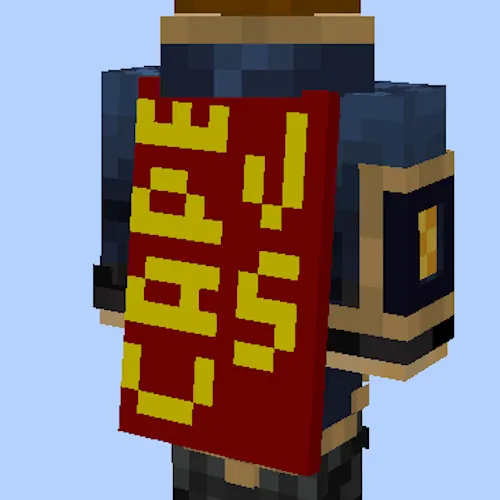
A KubeJS addon that lets modpack developers assign custom cape and elytra textures to players via scripts.
A client cosmetics mod providing custom high-resolution capes, elytras, hats, and shoulder buddies.

Adds flowing cape-like movement physics to the elytra when worn on a player's back.

Allows firework rockets with colors, effects, and shapes to boost elytra flight and create visual displays.

Adds cape-like movement physics to the elytra while worn on a player's back.

Adds configurable wingtip contrails and visual trails while flying with an elytra.