
Simple Elytra Dye
A mod that allows players to dye elytras like leather armor and split wings with shears for two-tone color combinations.

Overview and Features
Created by Emesry, Simple Elytra Dye allows players to color their Elytras just like leather armor. You can mix different dyes together to create custom shades, or cut the glider in half to color each side independently for a two-tone appearance. The applied colors show up on the inventory item icon, while equipped on your character, and during flight.
Hovering over the item reveals a tooltip showing the specific hex color code for each wing. Any wing left undyed retains the default vanilla texture, and player capes will only display on these uncolored wings. In versions 26.1 and newer, you can remove the colors by washing the wings in a cauldron, and creative mode players can locate individual wings under the Tools & Utilities tab.
How to Dye and Split Wings
All coloring and splitting actions are performed in a standard Crafting Table without any commands or configuration files. If you want to revert a two-tone glider back into a single solid color, simply place the entire assembled Elytra into the crafting grid with your chosen dye.
Your custom name, durability, and enchantments are safely preserved when splitting and rejoining wings. Because all of these attributes are stored specifically on the Left Wing without duplicating enchantments, the final reassembled Elytra will always inherit its stats from whichever Left Wing you use in the recipe.
- Dye a full Elytra: Place an Elytra and one or more dyes into a Crafting Table.
- Split into two wings: Combine an Elytra with Shears in a Crafting Table to receive the Left Wing, while the Right Wing remains in the grid and the Shears lose 1 durability.
- Color a single wing: Place either a Left Wing or Right Wing into the Crafting Table alongside one or more dyes.
- Assemble a two-tone Elytra: Put one Left Wing and one Right Wing together in the Crafting Table to join them with both colors.
Compatibility and Requirements
This mod supports Fabric, NeoForge, and Forge across Minecraft Java Edition versions 1.21.11, 26.1, 26.1.1, 26.1.2, 26.2, and 26.3. For multiplayer functionality, the mod must be installed on both the client and the server, though it also works normally in singleplayer worlds. Players using the Fabric loader must install the Fabric API, and your system will need Java 21 for Minecraft 1.21.11 or Java 25 for the 26.x releases.
Questions
Do I lose my enchantments when I cut an Elytra with shears?
No, enchantments, durability, and custom names are stored on the Left Wing and transfer back to the full Elytra when rejoined.
How do I wash the dye off my Elytra?
In version 26.1 and newer, you can wash the dye off using a cauldron, just like leather armor.
Will my cape still show on a dyed Elytra?
Capes are only displayed on undyed wings that keep the default Elytra appearance.
Does Simple Elytra Dye need to be on the server?
Yes, the mod must be installed on both the client and the server to work in multiplayer.
Related
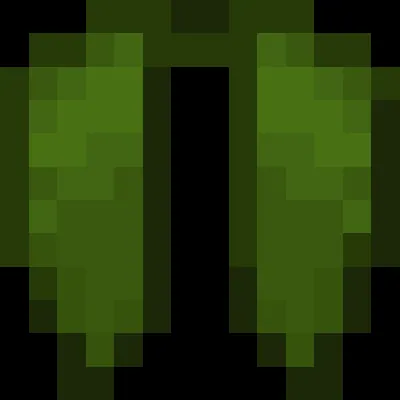
Allows players to customize elytras with dyes, banner patterns, armor trims, and glow ink sacs.
Allows players to apply armor trims, dyes, banner patterns, and glow ink to elytras.
A KubeJS addon that lets modpack developers assign custom cape and elytra textures to players via scripts.
A client cosmetics mod providing custom high-resolution capes, elytras, hats, and shoulder buddies.

Adds flowing cape-like movement physics to the elytra when worn on a player's back.

Allows firework rockets with colors, effects, and shapes to boost elytra flight and create visual displays.

Adds cape-like movement physics to the elytra while worn on a player's back.

Adds configurable wingtip contrails and visual trails while flying with an elytra.